
The Seven Software Development Life Cycle Phases
What the Software Development Life Cycle Means
The software development life cycle, or SDLC, is a set process for building software. It guides teams from an early idea through long-term support.
The seven software development life cycle phases are Planning, Analysis, Design, Coding, Testing, Deployment, and Maintenance. Each phase has a clear goal and set of outputs.
These steps give the team a shared path. They also make work easier to track, review, and improve.
Teams may repeat some steps as needs change. For example, a failed test may send a feature back to design.
SDLC work can support a small web tool or a large payment platform. The scale changes, but the core flow stays useful.
- Planning sets the product direction and scope
- Analysis turns needs into clear requirements
- Design maps the system and user experience
- Coding builds the planned features
- Testing checks quality, safety, and fit
- Deployment releases the software for use
- Maintenance keeps the system useful and secure
The Seven Phases of the SDLC
Each phase adds value before the next phase begins. The team should define its exit point for every phase.
Clear deliverables help project managers spot gaps early. They also give business owners a way to review progress.
1. Planning
Planning defines the problem, goal, users, scope, budget, and timeline. The team also checks whether the idea is practical.
A good plan sets a useful first release. It avoids costly work on features that users may not need.
2. Analysis
Analysis gathers and tests the needs of users and the business. Teams may use interviews, workshops, data, and process maps.
The main output is a clear set of requirements. These requirements should state what the system must do.
3. Design
Design shows how the system will meet those needs. It covers data, services, screens, access rules, and links to other tools.
The team may create a Software Design Document, or SDD. This document helps developers build one joined system.
4. Coding
Coding turns the design into working software. Developers write small parts, review changes, and join them into larger features.
Teams should keep code changes small and easy to check. This makes faults easier to find.
5. Testing
Testing checks if the software works as planned. It can cover features, speed, access, data, and links between services.
Testers record faults with steps to repeat them. Developers then fix the cause and run the tests again.
6. Deployment
Deployment moves approved software into a live setting. The team may use a staged release to limit the impact of faults.
A release plan should cover data changes, access, backups, and a roll-back path. The team should also watch early use.
7. Maintenance
Maintenance starts after release and may last for years. It includes fixes, updates, security work, and small product changes.
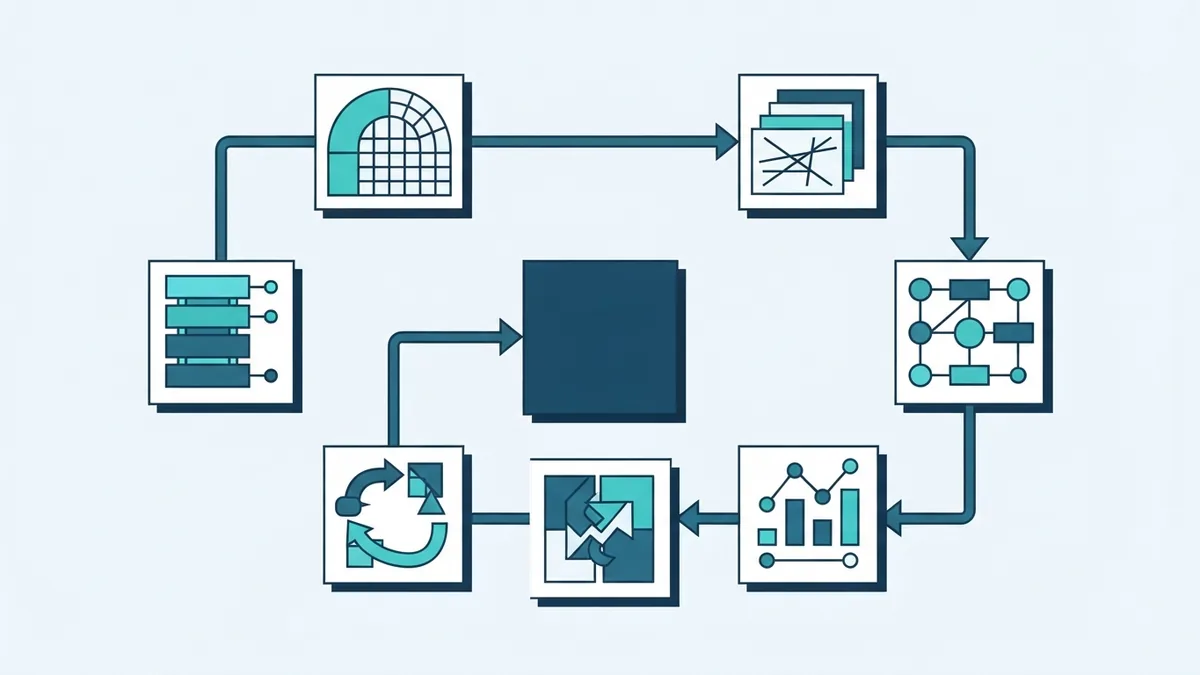
Usage data and support requests can guide the next release. The cycle then begins again with fresh planning.
The table below links each phase to its main aim and output.
| Phase | Main aim | Typical output |
|---|---|---|
| Planning | Set goals and limits | Roadmap and scope |
| Analysis | Define user and business needs | Requirements list |
| Design | Plan the system shape | Architecture and SDD |
| Coding | Build the features | Working software |
| Testing | Check quality and risk | Test results and fixes |
| Deployment | Release the system | Live release |
| Maintenance | Keep the system fit | Updates and support |
Why Teams Follow an SDLC
A defined SDLC gives each person a clear role and timing. It helps teams plan work instead of reacting to every new request.
It also improves project management. Leaders can compare planned work with real progress at each phase.
Quality gains come from checks across the full process. Teams do not need to wait until the end to find every issue.
- Better control of scope, time, and cost
- More consistent software quality
- Earlier discovery of technical and business risks
- Clearer links between features and business goals
- Better handover between teams and suppliers
SDLC also supports risk management. Teams can test risky ideas early, before they build the full product.
For example, a payment project may test a gateway link during design. This can expose limits before launch work begins.
The process does not remove all risk. It makes risk easier to see, rank, and manage.
Common SDLC Models and Their Uses
An SDLC model sets the order and pace of the phases. The right model depends on change, risk, users, and release needs.
No single model suits every project. Teams may also mix methods for different parts of one system.
Waterfall
Waterfall moves through the phases in a set order. The team completes one stage before it starts the next.
This model can suit work with fixed needs and strict review points. It can struggle when users change their minds often.
Agile
Agile splits work into short cycles called iterations. Teams plan, build, test, and review small parts at a time.
Agile suits products that need regular user input. It also helps teams respond to new facts during the build.
Spiral
Spiral joins repeated development with a strong risk check. Each loop explores risks before the team adds more detail.
This model can fit large or complex systems. It may need more planning skill and close review.
V-Model
The V-Model links each build phase with a matching test phase. For example, system design links to system testing.
It suits work that needs proof at each step. Medical, transport, and other high-risk systems may use this approach.
The choice affects team habits, tools, and release plans. It should match the work, not follow a trend.
How to Choose the Right SDLC Model
Start with the project setting, not the model name. Ask how stable the needs are and how costly failure would be.
Also check how often users can review the work. Frequent input favors short cycles and early releases.
- List the main risks, limits, and business goals
- Rate how likely requirements are to change
- Set the needed level of testing and proof
- Check team skills, tools, budget, and time
- Pick a model and define review points
- Review the choice after the first release
A gateway integration may need Agile work for new features. It may also need V-Model checks for payment and security controls.
This blended approach can give teams speed and control. It works best when each method has a clear boundary.
Review the model after real work starts. A model that blocks feedback or hides risk needs a change.
Why SDLC Documentation Matters
Documentation keeps the team aligned when people, tools, or needs change. It records the choices behind the software.
The Software Requirement Specification, or SRS, describes what the system must do. It can include user needs, rules, limits, and success checks.
The Software Design Document, or SDD, describes how the system will do it. It may cover system parts, data flows, access, and outside links.
Keep documents short, clear, and easy to find. Link each requirement to a design choice and a test where possible.
- Write one clear owner for each document
- Use version control for major changes
- Record why key design choices were made
- Update documents when the system changes
- Ask users and technical leads to review them
Good records also help new team members start faster. They reduce the risk of lost knowledge during staff changes.
Documentation should support work, not create busywork. Keep only details that help people build, test, run, or change the system.
Putting the SDLC Into Practice
The SDLC life cycle phases give teams a clear route from idea to live service. Their value comes from the links between them.
Planning sets the target. Analysis checks the need. Design shapes the answer. Coding builds it.
Testing checks the result. Deployment shares it with users. Maintenance keeps it useful.
Start with a small project and define one useful output per phase. Then improve the process from real team feedback.
That approach makes the development life cycle phases practical. It also helps the system stay tied to business value.