
What Is Software as a Service (SaaS)?
What Is Software as a Service (SaaS)?
What is software as a service SaaS? It is a way to deliver software through the internet. Users open the product in a browser or app. They do not install the main system on their own devices.
When defining software as a service, focus on who runs the core system. The provider hosts the app, data tools, servers, and storage. The provider also handles updates and security fixes. Customers mainly manage users, settings, and business data.
Most SaaS products use a subscription model. A customer may pay per user, by usage, or by feature tier. This model avoids a large licence fee at the start. It also lets firms adjust plans as needs change.
SaaS is one layer of cloud computing. The NIST definition of cloud computing explains the wider model. SaaS applies that model to a ready-to-use software product.
How SaaS Works in Practice
A SaaS provider runs its product in a cloud data centre. Customers reach the service through a secure connection. The provider controls the main code, hosting tools, and release process. Users can then work without running local servers.
Many SaaS products use multi-tenant architecture. One core platform serves many customer accounts. Each account has its own data space and access rules. This setup can lower waste while supporting steady growth.
The provider ships updates from one managed platform. Customers often receive fixes without local upgrade work. This saves time for teams with small technical staff. It also gives the provider one place to watch service health.
- The provider hosts the main application
- Customers access the service online
- Updates reach users through the hosted platform
- Plans often follow user count or usage
- Customer data stays separate through access controls
Access still depends on a stable connection. Teams also need strong sign-in rules and clear user roles. A service outage can affect many work tasks at once. Buyers should review uptime goals and support terms before signing.
Key Characteristics of SaaS
SaaS products share traits that shape buying and daily use. These traits separate SaaS from self-hosted software. The exact setup still varies by provider and product.
Hosted access is the first clear trait. Teams can use one service from many sites and devices. Admins can add or remove access from a central panel. Strong identity controls help protect each account.
Provider-managed hosting is another key trait. The vendor runs the servers, networks, storage, and core software. The customer still owns its work data and user choices. Contracts should make these duties clear.
Shared systems help providers serve many customers at once. This design can support scale and lower costs. It also makes data separation vital. A good provider should explain its controls in plain terms.
- Hosted access: Users reach the product through a browser or app.
- Regular updates: Fixes and new features arrive without local installs.
- Flexible plans: Firms can add or remove users as needs change.
- Central controls: Admins manage roles, access, and sign-in rules.
- Shared platform: Many accounts use the same core system.
Benefits of Using SaaS
The benefits of SaaS often start with fast access. A team can begin without buying servers or setting up local software. This helps smaller firms use tools once limited to larger firms.
SaaS can also lower the first spend. A subscription spreads costs across a set period. Firms can match paid seats to their current team size. They can then add seats when the business grows.
Speed is another benefit. Providers can ship fixes to all customers from one platform. Internal teams spend less time on patches and server care. That leaves more time for work that serves customers.
SaaS can support growth across many business stages. A small team may start with basic tools. A larger team may later need audit records, reports, or tighter sign-in rules. Many products offer higher plans for these needs.
- Lower upfront costs for many teams
- Fast access to mature business tools
- Less local hardware to buy and manage
- Simple access for distributed teams
- Regular fixes and feature releases
- Easy ways to add users and storage
Costs still need close review. User growth, premium features, support fees, and storage can raise the bill. Check the full contract before choosing a plan. Export rules also matter if you later move to another provider.
SaaS Compared With IaaS and PaaS
SaaS, IaaS, and PaaS are three common cloud service models. They differ in how much work the customer must manage. SaaS provides the most ready-to-use option.
IaaS means infrastructure as a service. It provides virtual servers, storage, and networks. The customer still manages the operating system and apps.
PaaS means platform as a service. It gives developers tools for building and running apps. The provider manages more of the base system than with IaaS.
SaaS provides the finished product. The customer manages use, access, and business settings. The provider manages the app and its supporting systems.
| Model | Provider manages | Customer manages |
|---|---|---|
| IaaS | Servers, storage, and networks | Operating systems and applications |
| PaaS | Servers, systems, and build tools | Applications and data |
| SaaS | Most technical layers | Users, settings, and business data |
SaaS Market Growth and Trends
SaaS market growth reflects a wider move toward rented digital tools. Firms want quick access without large hardware projects. Remote work also increased demand for shared online systems.
One market forecast puts the global SaaS market at USD 819.23 billion by 2030. Forecasts vary by scope, year, and research method. Treat this figure as a guide, not a guaranteed result.
Several trends support continued demand. Firms seek better automation, shared data, and simpler access. They also want tools that connect with payment, sales, and support systems.
Security now shapes many buying choices. Buyers ask about data location, sign-in controls, backups, and outage plans. They also review contract terms before moving key work into a hosted service.
- More firms are replacing local tools with hosted services
- Integration needs are shaping software choices
- Security reviews are becoming part of vendor checks
- Flexible plans help firms control changing demand
Common SaaS Applications
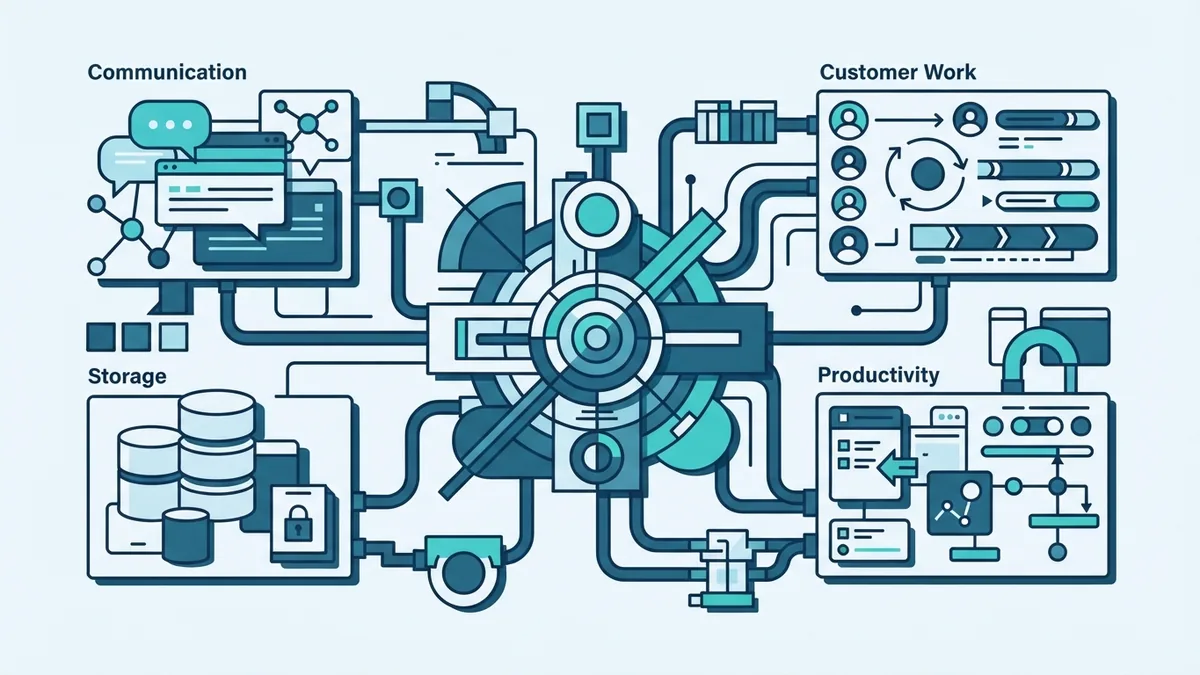
SaaS applications now support many daily business tasks. They cover communication, file storage, sales, finance, and planning. Teams often use several services at the same time.
Slack supports team communication through shared channels. Dropbox provides online file storage and sharing. Salesforce helps firms manage customer relationships and sales work.
Google Workspace combines email, documents, storage, and calendars. Enterprise resource planning tools can also use SaaS delivery. These tools bring finance, stock, orders, and staff data into one system.
The best fit depends on the task and team size. A small firm may need simple sharing and billing tools. A larger firm may need strict access rules, audit trails, and custom links.
- Communication: Team chat, meetings, and shared workspaces
- File storage: Cloud folders, backups, and file sharing
- Customer work: Sales records, support cases, and contact history
- Productivity: Documents, calendars, email, and task planning
- Enterprise work: Finance, stock, orders, and staff planning
Challenges and Limits of SaaS
SaaS reduces local upkeep, but it does not remove all risk. A provider outage may block key work. A weak internet link can also slow access.
Data control needs careful thought. Read where the provider stores data and how it protects access. Check its backup plan, exit terms, and record export tools.
Costs can rise as use grows. Extra users, storage, reports, and support may add fees. Compare the full yearly cost with other delivery options.
Vendor lock-in is another concern. A firm may build work habits around one platform. Moving later can take time if data formats or links differ.
Use a clear check before you buy. Review the provider's service goals, security terms, support hours, and data exit plan. Then test the product with a small group before a wider launch.
- List the work the service must support
- Check access, data, backup, and outage controls
- Price user growth, storage, and support needs
- Test key workflows with real sample data
- Agree on export and exit steps before signing
How to Choose a SaaS Product
Start with the business task, not the feature list. Write down who will use the tool and what they must achieve. This keeps the search focused.
Next, check how the service fits your current tools. Look for useful links with finance, sales, support, and payment systems. A good link can prevent duplicate work.
Ask for a trial or guided test. Use real workflows with a small group. Track setup time, ease of use, speed, and support quality.
Finally, review the contract with care. Confirm price changes, data rights, service goals, and exit terms. The cheapest plan may not offer the safest long-term fit.