
What Does CRM Stand For? How Businesses Use CRM
What Does CRM Stand For?
CRM stands for Customer Relationship Management. It describes the methods and tools a business uses to manage customer interactions.
So, what does CRM mean in business? It means keeping useful customer details in one shared system. This can include names, emails, calls, sales history, support cases, and buying needs.
A CRM system helps teams track each customer from first contact to repeat purchase. It can also guide lead management, sales work, marketing tasks, and customer support.
In simple terms, CRM software acts as a shared customer management system. It helps a business know who each customer is and what should happen next.
- CRM meaning: Customer Relationship Management
- Main purpose: Manage customer and prospect interactions
- Main users: Sales, marketing, service, and account teams
- Main value: Better data, faster work, and stronger relationships
Why CRM Matters to Modern Businesses
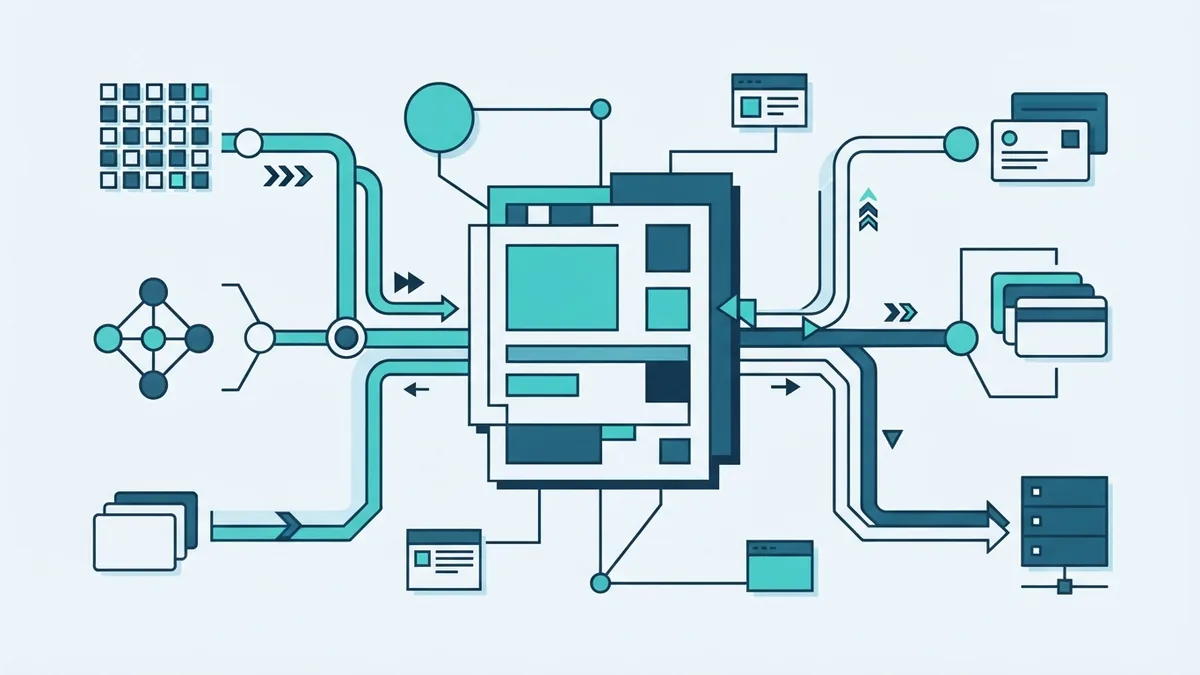
Customer details often sit in many places. Sales may use email, marketing may use campaign tools, and service may use a help desk.
That split creates gaps. A sales rep may miss a support issue. A marketer may send an offer to a customer who just asked for help.
A CRM brings these records together. Teams can view the customer lifecycle in one place. They can then act with better context.
This shared view also supports sound business strategies. Managers can spot slow sales stages, missed follow-ups, and service trends.
One source of customer data
Good CRM data should be clear, current, and easy to use. Each team needs rules for names, dates, consent, and account ownership.
Clean data matters more than a long list of fields. A short record that teams trust can beat a large record full of errors.
CRM Features You Should Know
CRM systems differ by price and focus. Yet most offer a set of core features. These features support daily work across the customer journey.
Automation tools handle repeat tasks. Analytics helps teams learn from results. Integration links the CRM with other systems.
| Feature | What it does | Example |
|---|---|---|
| Contact records | Stores customer and prospect details | Save calls, emails, and account notes |
| Sales pipeline | Shows deals through each sales stage | Track a quote from lead to close |
| Automation | Runs set actions without manual work | Create a task after a new enquiry |
| Analytics | Turns records into useful trends | Compare sales by source or month |
| Integrations | Connects the CRM with other tools | Sync forms, email, billing, or support |
Contact records form the base of most CRM software. Users can store notes, tasks, files, and past customer interaction.
Pipeline tools help teams manage open deals. They show deal value, sales stage, owner, and next action.
Automation can assign leads, send alerts, and create follow-up tasks. Analytics can show close rates, sales time, and customer retention.
Integration capabilities let the CRM share data with websites, payment tools, email systems, and service platforms. This reduces copy-and-paste work.
How CRM Helps a Business Grow
The clearest CRM benefits come from better follow-through. Every lead can have an owner, a next step, and a due date.
That makes sales work more consistent. It also helps managers find deals that need help before they go cold.
CRM tools can raise efficiency across the firm. Staff spend less time searching for records. They spend more time solving customer needs.
- Sales teams can see every active deal and next task
- Marketing teams can group contacts by needs or actions
- Service teams can view past orders and earlier problems
- Managers can measure work with shared reports
- Teams can hand off accounts with less lost context
Better service can lift customer satisfaction and loyalty. A support agent can see the customer’s history before replying.
Personal contact also becomes easier. Data analysis can show what a customer bought, viewed, or requested.
A business can then tailor a message or offer. Personalisation should still feel helpful, not intrusive.
CRM in Sales and Marketing
Sales teams often use CRM to manage the sales pipeline. A pipeline turns each open deal into a clear set of stages.
Those stages may include new lead, qualified lead, proposal, review, and won. Each business can set stages that match its sales process.
Lead management starts when a person shows interest. The CRM can capture a form, email, call, or referral.
It can then score the lead, assign an owner, and set a follow-up date. Small teams gain a clear work list from this process.
Marketing teams use CRM records for audience groups and campaign checks. They can compare replies, sales, and repeat buying by source.
This link between sales and marketing improves teamwork. Both teams can see which messages bring useful leads.
A simple example
A web visitor fills in a form about payment gateways. The CRM creates a record and alerts a sales owner.
An automatic task asks the owner to call within one workday. If the lead books a demo, the deal moves to the next stage.
After the sale, service staff can see the same record. They do not need to ask the customer to repeat basic details.
Popular CRM Systems

Popular CRM systems serve different team sizes and work styles. Salesforce suits firms that need deep custom setup and many links.
HubSpot combines CRM records with sales and marketing tools. Microsoft Dynamics 365 fits firms that already use Microsoft business tools.
Zoho CRM often appeals to small and mid-sized teams that want broad features. Other systems focus on support, field sales, or a single industry.
Brand names matter less than fit. A useful system should match your team’s process and skill level.
| Need | Useful CRM trait |
|---|---|
| Small team | Simple setup and clear user roles |
| Complex sales | Flexible stages, rules, and reports |
| Strong support work | Case tracking and shared customer history |
| Many tools | Reliable links with email, billing, and forms |
How Much Does CRM Software Cost?
CRM cost depends on users, features, storage, and support. Many cloud tools charge per user each month.
Basic plans may cost less than £20 per user each month. Advanced plans can cost £100 or more per user each month.
Some tools offer free plans with limits on users, records, or features. Setup, data transfer, training, and custom links can add cost.
Ask vendors for the full cost over one year. Include licences, setup time, support, and any paid add-ons.
- Count the people who need full access
- List the tools that must connect
- Set a budget for data clean-up and setup
- Check contract terms and price changes
- Test the system with a real sales process
Getting Started With a CRM
Start with one clear problem. You may need better lead follow-up, faster support, or one view of customer data.
Write down the steps your team follows today. Mark delays, repeated work, and places where data gets lost.
Next, choose the few fields and reports you truly need. Keep the first build small. A simple launch helps staff learn the new process.
Import clean records only. Remove duplicates and fix key fields before the move.
- Define the main goal and measure its current result
- Map the sales, marketing, and service workflows
- Choose a CRM that fits those workflows
- Set user roles, fields, stages, and task rules
- Clean and import a small set of customer records
- Train the team with real customer examples
- Review use, data quality, and results each month
Track useful measures after launch. These may include response time, follow-up rate, close rate, and repeat sales.
A CRM works best when the team uses it every day. Keep records easy to update and review the rules as needs change.