
Understand MCP in AI — Servers, Tools, and Safe Access
What is MCP in AI?
What does MCP stand for in AI? It means Model Context Protocol. MCP is a shared way for AI apps to connect models with outside data and tools.
What does MCP mean in AI? It gives apps a common pattern for sharing context and asking services to act. Developers can expose data sources and features through one clear setup, instead of building a new link for each model.
MCP does not teach a model new facts or make it smarter on its own. It can let a model request current details, such as a delivery status or stock level. The model can then use that result when it forms an answer.
The protocol defines how apps and services share these requests. The Model Context Protocol introduction explains its core parts and how they fit together. In short, MCP standardizes how AI apps find and use external tools.
How MCP servers work
How does an MCP server work? It acts as a bridge between an AI app and a system that holds data or performs tasks. The app connects to the server through an MCP client. The server then offers a set of features the app can use.
At the start, the client and server agree on the features they support. The server shares a structured description of its tools, including the inputs each tool needs. This machine-readable format helps the app show the model what it can ask for.
Consider a shop assistant that needs to check an order. The model can ask to look up an order by its reference. The server checks that request, queries the shop system, and sends the result back to the app.
The model can use that live result to answer the customer. The server handles the link to the shop system. Where does an MCP server run? It can run on a developer’s computer, a company server, or a cloud service.
That is the basic MCP server definition: a service that makes selected tools or data available to an AI app through MCP. What does an MCP server look like? In practice, it is software running in the background, not a special device or screen.

What an MCP server does
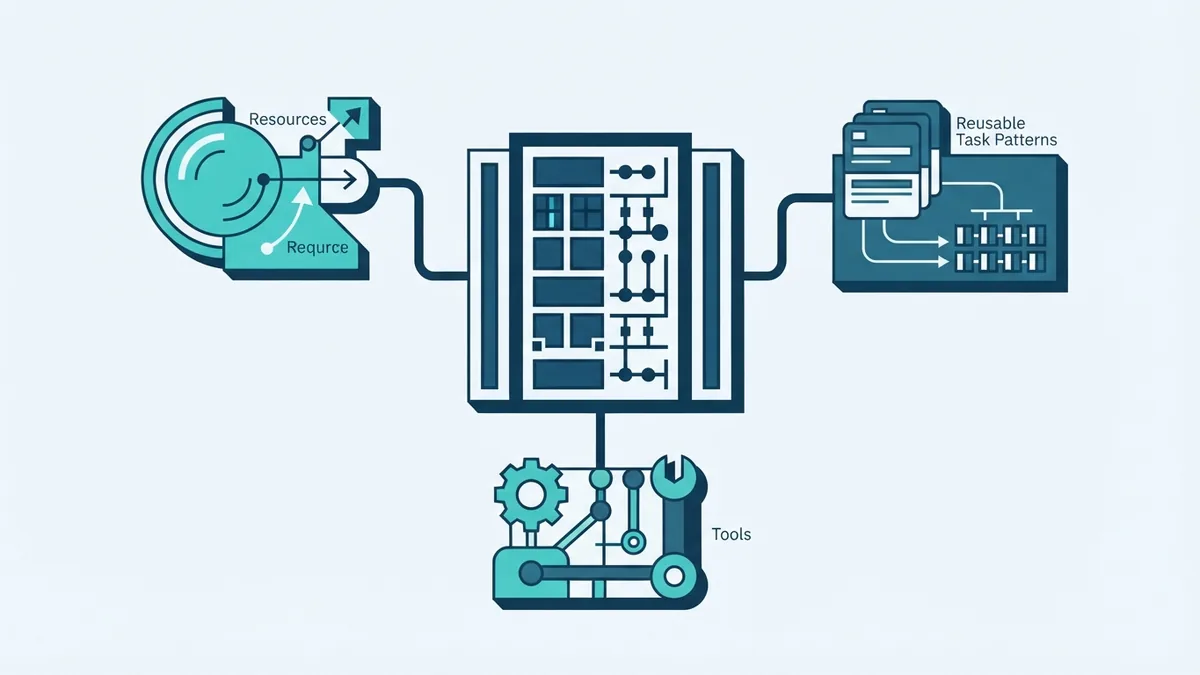
What does an MCP server do? It can offer tools, resources, and prompts to an AI app. Tools let a model ask for an action, such as checking stock or opening a support case. Resources provide data that can add context to a request.
Prompts are saved patterns for common tasks. A finance server, for example, might offer account lookup, payment status, and recent activity. The features depend on the service behind that server.
Each tool has a name and set inputs. It can also have a short description that helps the model pick the right tool. A stock check might need a product ID and return the quantity on hand.
- Tools: requests that read data or carry out an action
- Resources: data that can give a model useful context
- Prompts: saved patterns for common tasks
A server can list what it offers, but it cannot ensure the model picks the right tool. The app should check each request and handle errors. Clear tool names and input rules can help reduce confusion.
What does an MCP server do with a request? It passes a permitted request to the right service, then returns the result. What it can access depends on how the team built and set up the server.
Benefits and limits of MCP servers
MCP can cut the work needed to link AI apps with business systems. A team can build a server for one data source, then use it with more than one MCP-ready app. This can make it easier to reuse an integration across several tasks.
Servers can also give models a clear view of available actions. Rather than rely only on fixed instructions, an app can share tool details when needed. This can help the model choose a useful next step.
Live data is another benefit. A model’s training may not include today’s balance, stock, or delivery status. A server can fetch that data when the user asks.
There is still work to do. Teams must build, host, test, and update servers. They must also check how models use each tool. MCP gives teams a shared connection pattern, not a ready-made system.
MCP servers and traditional APIs
An API lets software systems send requests and receive results. Many APIs serve a set app or developer, with rules and data shapes made for that service. MCP servers may use APIs behind the scenes.
The main difference is the layer MCP adds for AI apps. An MCP server can describe tools in a form an app can share with a model. It can also act as a controlled bridge to an existing API.
For example, a delivery API may return a parcel’s status. A developer could write custom code to link it to an AI app. An MCP server could offer parcel lookup as a named tool with set inputs and a clear result.
MCP does not replace every API. A regular API can suit a fixed link between two apps. MCP can help when an AI model needs to find and use tools through a shared interface.
Use cases for MCP servers
MCP can help in e-commerce, finance, customer support, and logistics. In a shop, a model might check stock or place an order. In finance, it could fetch a balance or show recent payments.
A support assistant could look up a case or create a new one. A logistics tool could check a parcel’s latest status. In each case, the server gives the app a set way to ask for live data or a task.
These uses depend on the access a team grants. A stock tool might only read product counts, while an order tool could make a change. Teams should match each tool to a real need.
MCP works best when a model needs to use outside data or tools. It is less useful when an app only needs a fixed, direct link between two services. The task should guide the choice.
Security considerations for MCP
An MCP server can limit what an AI app may access. Teams can offer only the tools and data needed for a task. This gives them more control than broad access to a whole system.
Read and write actions need different care. Reading a balance is not the same as sending a payment or changing an order. A team can require a person to approve actions that affect money or customer records.
Teams should also check inputs before sending them to a system. They should keep access keys private and review server logs for odd requests. A model’s tool choice should not be treated as proof that an action is safe.
Test each tool with valid, missing, and unexpected inputs. Give each server only the access it needs. These steps help make the connection safer, but they do not remove the need to watch how it runs.