
Get an API Key and Put It to Work

What is an API key?
An API key is a code that identifies an app or project when it sends a request to an API. An API, or application programming interface, lets software ask another service for data or features. The key helps the service link each request to an account and apply access rules.
People often search for how API works or how to get an API. In practice, the API is the service interface, while the key is one way to identify a caller. A key does not give access to every feature by default. The provider can limit what it can do.
Some keys are meant to be public. Others are private and must stay secret. A provider may use OAuth (a sign-in method that grants limited access) instead of a key, or use both methods for different tasks.
How do API keys work?
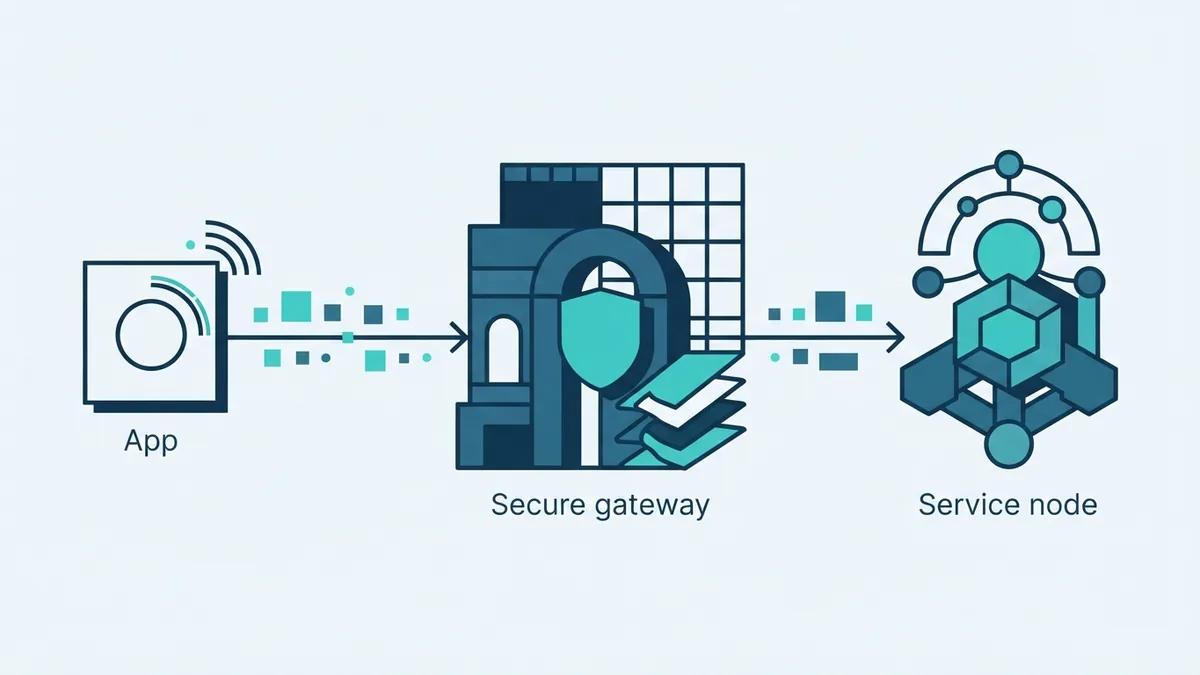
When an app calls an API, it sends a request to the service. The request may include a key in an HTTP header, such as an authorization field. The server checks the key, applies its rules, and sends back data or an error.
For example, a weather app might ask for a forecast in a given city. Its key tells the provider which project made the request. The provider can then track API usage and apply a rate limit, which caps calls over a set time.
Use the format named in the provider’s docs. Some services accept a key in a request header. Others ask for a query parameter. Headers are often a safer choice because query strings can appear in logs or shared links. The MDN guide to HTTP authentication explains how servers can check access in web requests.
- Identify the caller: Link a request to a project or account.
- Check access: Allow only the features set for that key.
- Track use: Count calls and apply limits or fees.
How do API keys work when a request fails? The provider checks more than the key’s shape. A key may be expired, disabled, or set for a different project. Access limits can also block a valid request.
How to get your API key
If you want to know how to get API key access, start with the service you plan to use. Review its price, limits, and access rules before you sign up. Each provider names its settings in a different way, but the steps are much the same.
- Make an account. Sign up with the provider and confirm your email if asked.
- Open its developer area. Look for a dashboard, project page, or API settings.
- Set up a project. Use a project or app name that makes the key’s purpose clear.
- Create a key. Choose the option to make or generate a new API key.
- Set access limits. Allow only the features, sites, or servers that need the key.
- Copy and store it safely. Some providers show the full key only once.
That is the usual answer to how do I get an API key or how to get an API key. Some services ask for a payment method or account check first. Read the provider’s own setup notes before you send a live request.
To find an API key you already made, sign in and open the project’s credentials or security settings. Search for the key’s name if you gave it one. If the provider hides the full value, make a replacement and update any app that used the old one. This is also the fix when you ask, “How do I find my API key?”
How to call an API
To learn how to call an API, find the request URL, method, required fields, and key format in its docs. Start with one small test request. A provider may ask for a header such as an authorization field, but do not guess the format.
For a Python app, the requests package can send an API call. Put the key in a request header, send the request, then check the status code and returned data. This covers how to call an API in Python without putting a private key in the code itself.
Store the key outside your source files, such as in an environment setting on your server. Your app can read that setting when it starts. This keeps the key out of files that may be shared or saved in a public code store.
Test one call before you build more features. Check the result, the provider’s usage page, and any error details. A small test can reveal a wrong URL, missing access, or a key linked to the wrong project.
Best practices for API keys
Use a separate key for each app or work setting when the provider allows it. For example, keep test and live keys apart. If one key leaks, you can shut it off without breaking every app that uses the service.
Give each key only the access it needs. This limits harm if someone gets hold of it. Track usage in the provider’s account area, and set alerts or caps where offered. A sudden rise in calls can point to a bug or stolen key.
When you need to switch to a different API provider, make a new key with the new service. Update your app’s settings, test its calls, then disable the old key. Do not assume that keys work across providers.
Keep the request method simple and follow the service docs. Do not send the same request again and again after an error without checking the cause. Some providers count failed calls toward usage limits.
API key security measures
Treat a private key like a password. Do not put it in a public web page, browser code, or a public code store. Anyone who can read it may use your account or cause extra charges.
Use HTTPS for API calls. It helps keep data safe as it moves between your app and the service. Store keys in a secure setting on the server, not in a file that users can download.
Limit each key to the needed services and sources. If a key is exposed, disable it at once and make a new one. Then check recent use for calls you did not expect.
Common API key issues and fixes
A rejected key can have several causes. First, check for spaces or missing characters. Then confirm that the key belongs to the right project and has access to the service you called.
- Access denied: Check the key’s access rules and enable the needed service.
- Too many calls: Check usage limits and slow down repeated requests.
- Key not found: Check the request format and make sure the app reads the right setting.
- Key may be exposed: Turn it off, make a replacement, and review recent use.
If you cannot see an old key again, create a new one rather than trying to recover its hidden value. Update the app that uses it, then test a single call. Keep a note of which project uses each key, but never store the full secret in a shared document.
Good key care comes down to three habits. Use the format the provider asks for, limit access, and check usage. These steps make API calls easier to test and safer to run.