
What Is an API? REST APIs and Integration

What Is an API?
API means Application Programming Interface. It lets separate software systems talk to each other.
Think of an API as a set of rules for asking a service to do work. One app sends a request. The other app checks it and sends a response. This answers the common search query, “api what is it,” without the usual jargon.
For example, a shop site may use an API to take card payments. The shop sends payment details to a payment service. The service returns a result, such as approved or declined. The shop does not need to build its own card network.
APIs also link web apps, mobile apps, banks, maps, stock tools, and data stores. They add useful features without forcing a team to build every part from scratch.
How APIs Work: Requests, Responses, and Rules
Most API communication follows a request and response pattern. A client sends a request to a server. The server checks the request, runs its logic, and returns a response.

A request often includes a URL, a method, headers, and a body. The URL shows the target resource. Headers carry extra details, such as the data format or access key.
The response includes a status code and data. A 200 code means the request worked. A 404 code means the resource was not found. A 401 code means the client needs valid sign-in details.
JSON is the most common data format for web APIs. It uses simple name and value pairs. XML is another format, but many newer services favour JSON because it is easier to read.
Teams should publish API documentation with each service. Good docs show the available URLs, fields, methods, errors, and sample requests. They cut build time and reduce guesswork.
The Four Main Types of APIs
API types often describe who can use an API and why it exists. The four common groups are open, partner, internal, and composite APIs.
- Open APIs: These are public APIs that outside developers can use. A provider may require an account, usage limit, or paid plan.
- Partner APIs: These connect approved businesses. A retailer may give a delivery firm access to order data.
- Internal APIs: These link systems inside one company. They can connect billing, stock, customer, and reporting tools.
- Composite APIs: These combine several calls into one request. They help a client gather related data in one step.
These groups can overlap with technical styles. For example, an internal API may use REST. A partner API may use GraphQL or a message queue.
Access rules matter as much as the technical style. Public access does not mean unlimited access. Providers still need limits, logs, and clear terms.
What Is a REST API?
REST stands for Representational State Transfer. It is a set of design ideas for networked systems. A REST API uses web rules, mainly HTTP, to work with resources.
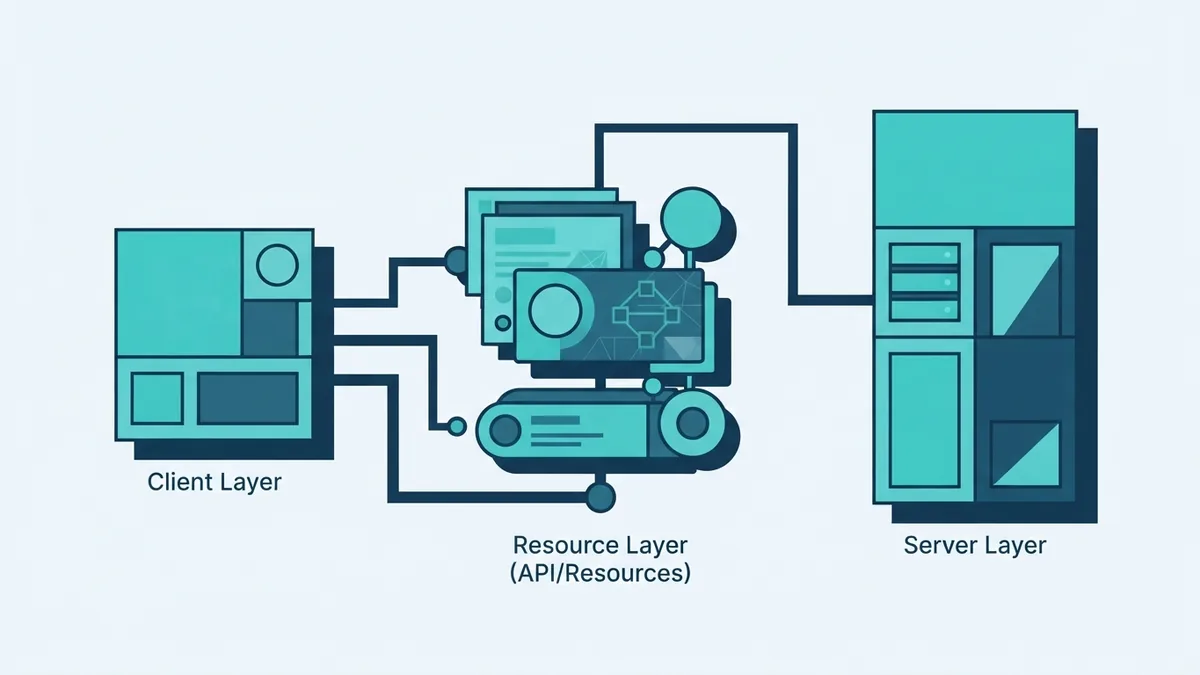
In a REST design, a resource has a clear address. A customer, invoice, or order can each have its own URL. The client then uses an HTTP method to act on that resource.
REST aims for a stateless flow. Each request should contain the details needed to handle it. The server does not rely on hidden client state from an earlier request.
REST is not a framework. It is an architectural style. Tools such as Express, Django, Laravel, and ASP.NET can help teams build REST APIs.
So, what is a REST API versus an API? An API is the broad idea of a software link. A REST API is one web-based way to build that link.
A key REST trait is a clear split between client and server. The client handles the user experience. The server manages data and business rules. This split can make systems easier to change.
API Endpoints and HTTP Methods
An endpoint is a specific URL where an API accepts requests. For example, /orders may represent a list of orders. /orders/742 may represent one order.

This explains the question, “what is a REST API endpoint?” It is the address and access point for a resource or action. An endpoint can return JSON, XML, or another agreed format.
| Method | Typical use | Example |
|---|---|---|
| GET | Read data | GET /orders |
| POST | Create data | POST /orders |
| PUT | Replace data | PUT /orders/742 |
| DELETE | Remove data | DELETE /orders/742 |
These are common REST API calls. A GET call might fetch an order. A POST call might create one.
PUT and DELETE are often idempotent. This means repeating the same request should leave the result unchanged after the first success.
For example, sending the same PUT request twice should not create two orders. POST usually is not idempotent. Repeating it may create two records.
The MDN HTTP method guide lists the meaning and safe use of these methods. It is a trusted reference for web developers.
Why APIs Matter for Modern Software
APIs help teams join specialist services into one product. A web platform can use separate tools for payments, email, search, maps, and stock.

This approach can save build time and lower risk. A payment provider may already handle card rules, fraud checks, and bank links. The product team can focus on its own customer flow.
- Faster delivery: Teams reuse proven services instead of rebuilding every feature.
- Better scale: Separate services can grow at different speeds.
- Richer products: Integrations add features that one team could not build alone.
- Clear ownership: Each service can manage one focused area.
APIs also support microservices architecture. In that model, small services handle focused tasks. APIs give those services a clear way to share data.
There are trade-offs. Each outside service adds a failure point. Teams must plan for delays, limits, price changes, and service outages.
How to Design and Secure a REST API
Good REST API design starts with clear resources. Use nouns for resource paths, such as /customers and /invoices. Use methods to show the action.
Keep naming steady across the whole API. Choose one style for dates, IDs, filters, and error fields. Add versioning when a change could break current clients.
- Map the main resources and their links.
- Choose methods that match each action.
- Define response fields and error codes.
- Set limits for page size, rate, and request body size.
- Write examples for common client tasks.
- Test normal, failed, slow, and repeated requests.
Security starts with two separate ideas. Authentication checks who is making the request. Authorization checks what that user or service may do.
Use encrypted HTTPS for every API call. Keep secrets out of source code and public logs. Give each client only the access it needs.
Use short-lived access tokens where suitable. Rotate keys when staff leave or systems change. Add rate limits to slow abuse and protect service capacity.
Log failed access, unusual traffic, and key changes. Do not log full card numbers or private customer data. The OWASP API Security project gives a trusted list of common API risks and controls.
A Practical REST API Checklist
If you are learning REST API how to build, start with one small resource. An order API is a useful first project. It covers reading, creating, changing, and deleting records.
First, define the data that clients need. Then choose paths and methods that make each action clear. Return useful status codes and stable error shapes.
Next, write a small test client. Send a valid request, then test missing fields and bad access. Check that repeated calls behave as planned.
Finally, review the API as a client would. Can a new developer find the right endpoint in minutes? Can they understand each response without opening the server code?
- Use resource-based paths.
- Keep requests stateless.
- Return clear status codes.
- Document every public field.
- Protect access with least privilege.
- Plan for limits and service failure.
That process answers how to code a REST API without hiding the hard parts. A useful API is not only one that works. It is one that stays clear, safe, and steady as clients grow.